June 8, 2026 / 10:00 AM PT / Apple Park, Cupertino
Make your own passes, right in the app
Create a Pass is a new button in the + menu at the top of Wallet. Tap it and you can make a pass yourself, with no developer account required. Scan the QR code on a paper ticket, membership card, or gift card and Wallet turns it into a digital pass, or build one from scratch.
There are three templates: Standard (orange), Membership (blue), and Event (purple). You can customize the image, colors, and text on each.
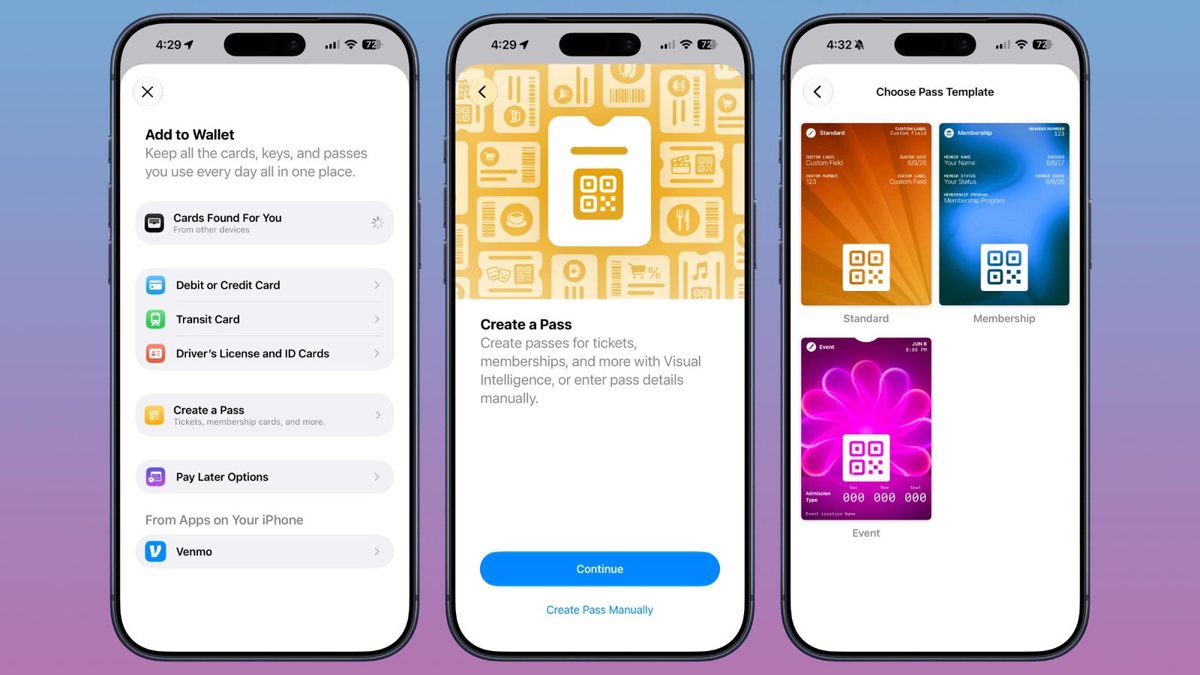
Apple never announced Create a Pass, on stage or in the developer session. It appeared in the iOS 27 developer beta, where 9to5Mac documented it, so the details could change before the public release this fall.
Splitting a restaurant bill by pointing your camera at it
The bill split did make the keynote, inside the Visual Intelligence demo. You point your iPhone at a restaurant bill, select the items you ordered, and Apple Cash splits the tab, adds tax and tip, and sends each person a payment request.
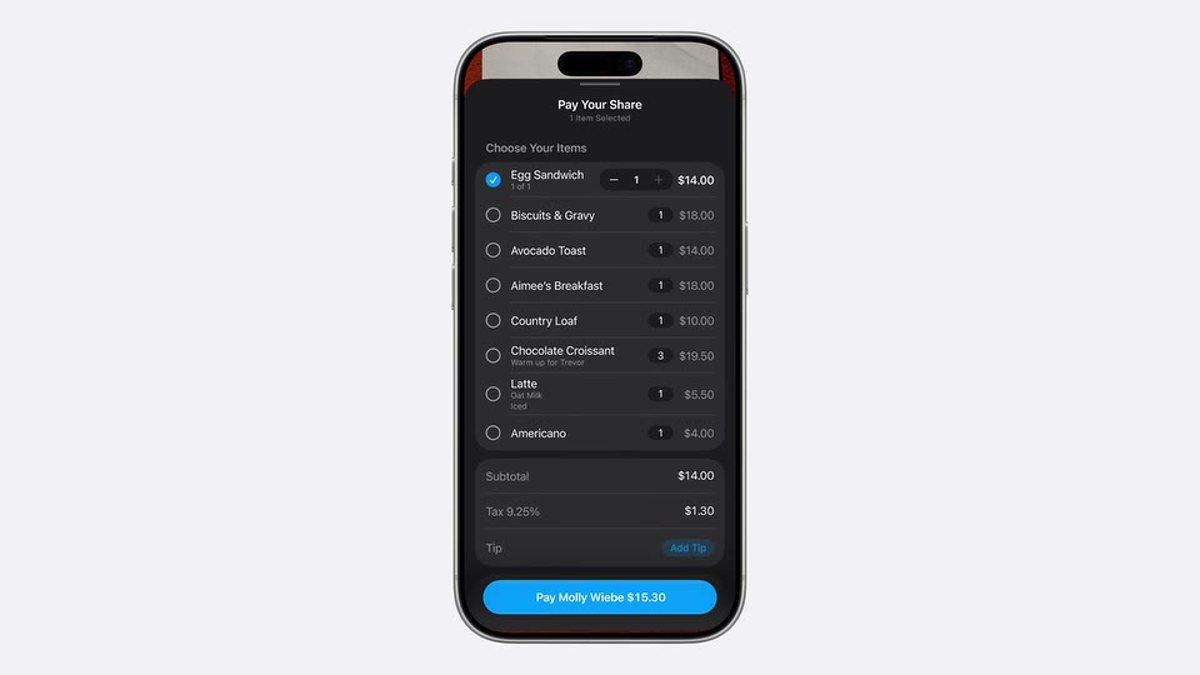
Apple Cash is US-only, so this feature starts in the US.
What Apple shipped for developers
The rest of the iOS 27 Wallet changes were in Apple's developer session, What's new in Wallet (session 209). This year they are about how passes look and how they are built.
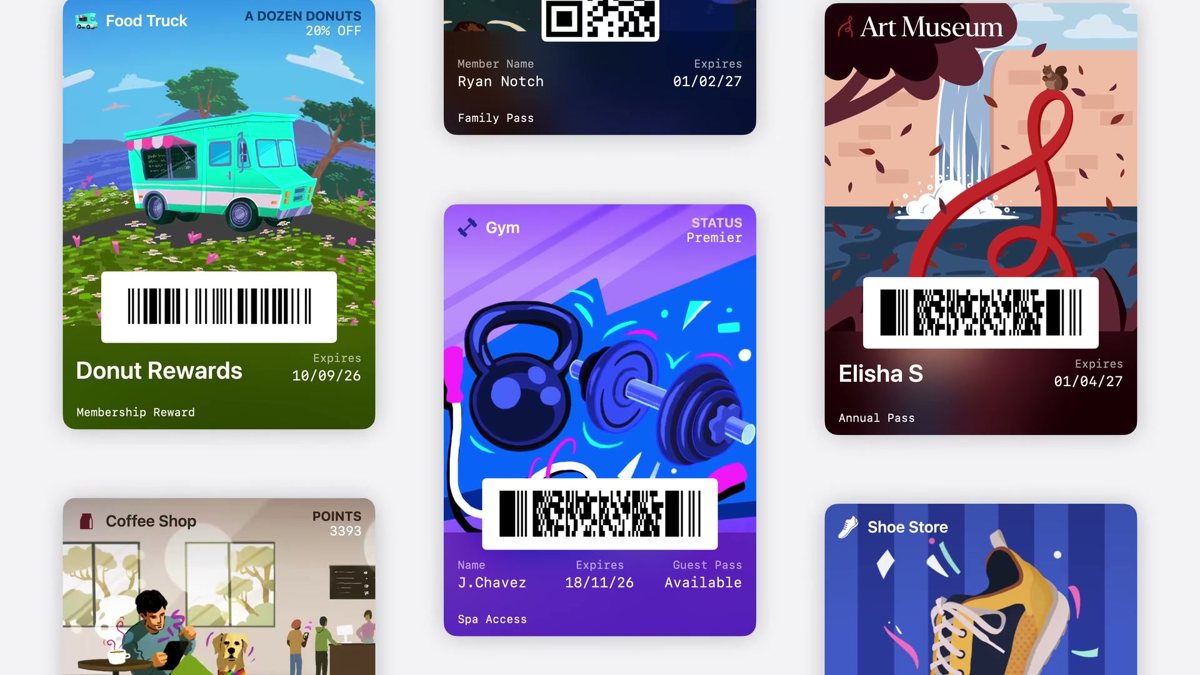
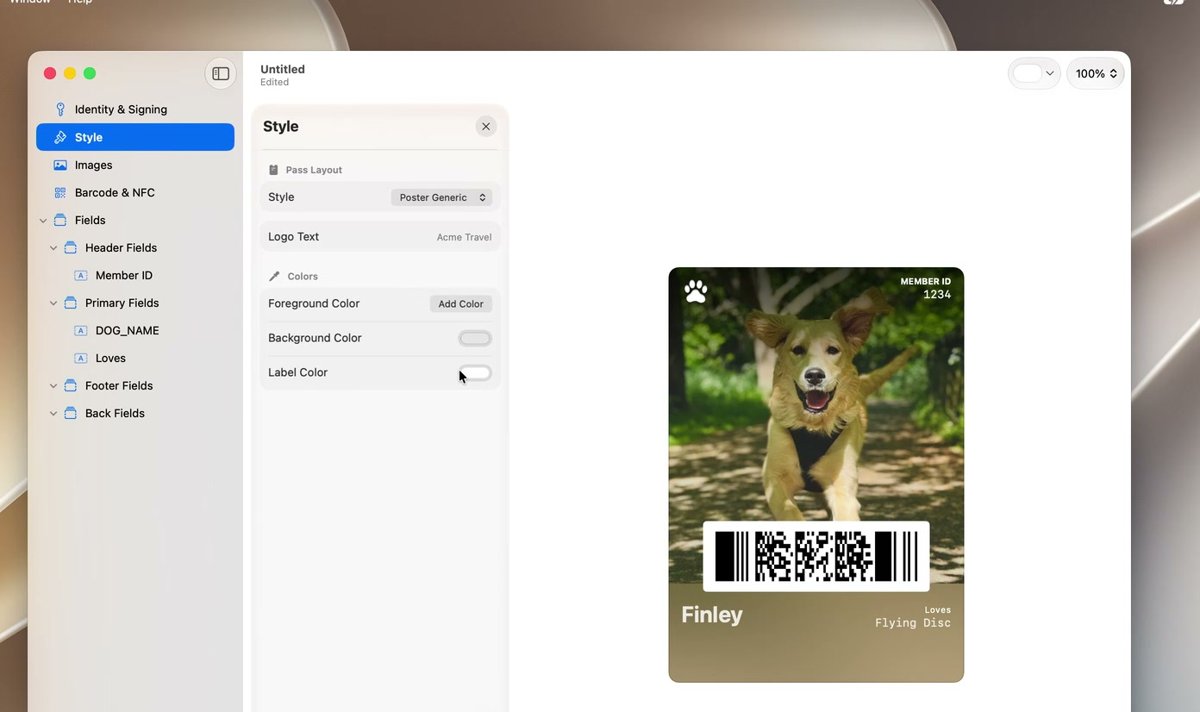
- Poster Generic, a new pass style with a full-bleed background image, a logo, header, primary, and footer fields, and the barcode. On iOS 26 and earlier it falls back to the classic Generic style.
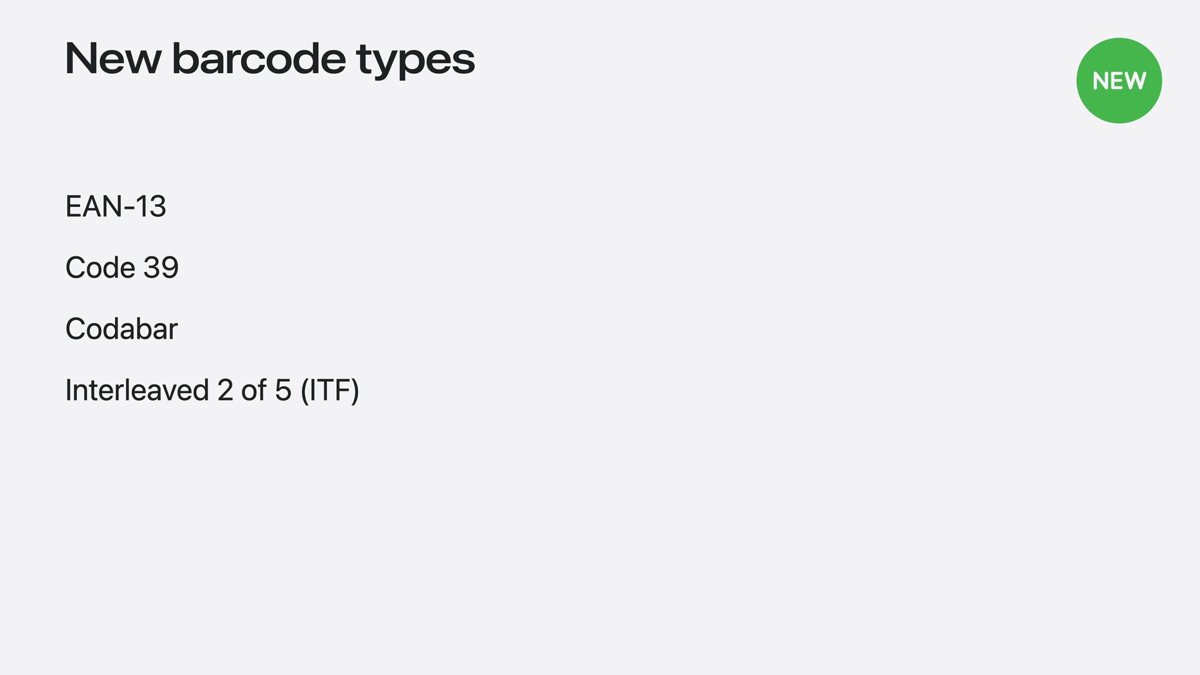
- Four new barcode formats: EAN-13, Code 39, Codabar, and Interleaved 2 of 5 (ITF), set through the
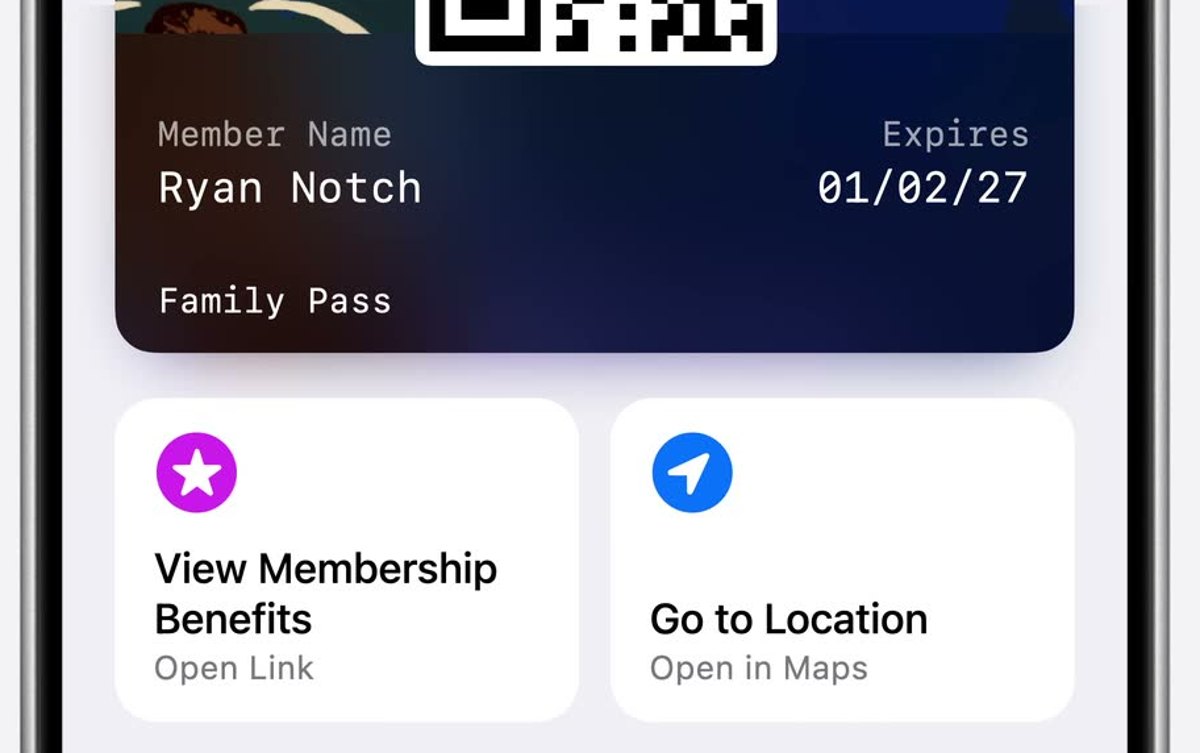
barcodesarray inpass.json. - Featured actions: up to two tappable actions per pass, set with a new
featuredActionskey, such as "Order again" or "Get directions". - Pass Designer, a visual editor from Apple that renders a pass exactly as it appears on device.
- Pass Builder, which personalizes, signs, and validates passes from a Pass Designer template at scale, and is callable from other languages.
You do not have to wait for the iOS 27 tools. Make a free Apple Wallet pass now, or generate them for both Apple and Google Wallet with the WalletWallet API.
How the keynote unfolded
We covered the keynote live, watching only for Wallet. Here is how it went, oldest first.
- 9:49 AM PT
The stream is up
The keynote stream goes live. We are watching for one thing.
- 10:30 AM PT
Half an hour in, still no Wallet
Liquid Glass, the new Siri, and Apple Intelligence on Gemini so far. Nothing on Wallet yet.
- 10:48 AM PT
The one Wallet-adjacent moment
A Visual Intelligence demo splits a restaurant bill with Apple Cash, the closest the keynote gets to Wallet.
- 11:16 AM PT
The keynote ends
The keynote ends after seventy-six minutes with no dedicated Wallet mention.
- 11:25 AM PT
Create a Pass turns up in the beta
Create a Pass appears in the iOS 27 developer beta, released after the keynote.